Key takeaways
AI can take packaging design from inspiration through artwork and production-ready dielines, but it still needs human review for structure, compliance, and brand fit.
- 01Inspiration: AI image generators return several design directions from a single text prompt.
- 02Artwork: generative AI builds designs from descriptive prompts and reference images, cutting design time sharply.
- 03Dielines and mockups: AI applies your artwork and previews it in 3D, but only for standard box shapes.
- 04Structural testing: AI can simulate how packaging holds up and flag design flaws before physical prototypes.
- 05Beginner-friendly tools: GPT-4o, Fotor, Ideogram, Adobe Express, and Packify.ai, roughly US$7–20/month.
- 06Use AI for creative work only: verify legal and label information, and check artwork isn't too close to existing brands.
AI technology is improving every second. Generating images with AI has become easier than ever, including creating packaging designs.
If you’re a small business looking for custom packaging but don’t have the budget for a designer, AI packaging design tools can be a big help. They let you explore ideas, test out different styles, and even create artwork without needing advanced skills.
In this post, we’ll show you how to use AI for product packaging design and introduce some easy-to-use tools to help you design packaging that looks great and works well.
How Can AI Help With Packaging Design?
1. Find Inspiration
AI image generators are a great starting point when you’re not sure which direction to take with your packaging design. You can type simple prompts and see what designs AI creates for you.
Try prompts like:
- “Minimalist cosmetics packaging”
- “Eco-friendly coffee bag design”
- “Elegant gift box for jewelry”
The best part? Most AI tools generate several versions from the same prompt. This means you can compare multiple styles quickly and figure out what works best for your brand and product.
Instead of staring at a blank page, you’ll have dozens of design ideas in minutes. Use these as a starting point to understand your preferences and as a helpful visual reference when you’re ready to develop actual artwork or communicate with packaging manufacturers.
2. Design Artwork Efficiently
Once you know what style you want, generative AI tools can help create the actual artwork for your packaging. If you don’t have a logo yet, start there.
Here are a few tips for using AI to create packaging artwork:
Write Descriptive Prompts
The more specific you are, the better results you’ll get. Instead of saying “make a design,” try prompts like:
- “Abstract geometric pattern with bold colors and modern style”
- “Hand-drawn illustration with simple lines and playful feel”
- “Watercolor flowers, soft colors, elegant and delicate”
Use Reference Images
Many AI tools let you upload a picture as a starting point. You can use the inspiration images you created earlier and ask AI to create a design that builds on that concept.
Saves Time for Everyone
AI isn’t just for beginners—professional packaging designers use it to speed up their workflow too. What used to take hours in Photoshop now takes seconds. Designers can create complete artwork instantly, then fine-tune the details by hand.
This means faster turnaround times and lower costs, whether you’re doing it yourself or working with a designer.
3. Generate Dieline & 3D Mock-Up
To turn your packaging concept into something real, you’ll need to place your artwork onto a dieline—a flat blueprint that outlines the folds, cuts, and layout of your packaging.
Many online tools now let you generate dielines by inputting basic dimensions. You can upload your artwork and see a 3D preview. Thanks to AI, this process is becoming even easier and more streamlined:
- Creating your artwork automatically
- Applying it to the dieline instantly
- Showing real-time 3D previews as you make changes
- Producing files ready to be sent to manufacturers for printing
This means you can go from idea to production-ready design in one smooth process. With AI dieline tools help handle the technical stuff, you can focus on perfecting your product.
However, AI dieline generators still have limitations. Most tools can only handle standard box shapes and layouts. If you need something more complex—like a custom structure, multi-tier design, or fitted insert—you’ll still need professional packaging structural design support.
4. Virtual Structural Testing
Beyond aesthetics, structural integrity is just as important to packaging. In the past, businesses had to build multiple physical prototypes to test if their packaging was strong enough. This took weeks and cost a lot of money.
Today, self-learning AI models are changing that. With advanced algorithms, AI can simulate how different packaging structures will perform under various conditions. This includes whether the packaging can handle shipping and handling, and how well it can protect the product.
For example, AptarGroup has used Monolith’s AI platform to predict how changes in size, shape, and material thickness affect the stability of their new bottles. This allows engineers to identify potential design flaws early and optimize packaging before physical testing even begins.
By using AI for virtual structural testing, businesses can speed up development, reduce prototyping costs, and eliminate delays caused by back-and-forth communication with data scientists. It’s a smarter, faster way to ensure your packaging is not only beautiful but built to perform.
Top 5 Packaging Design AI Tools Suitable for Beginners
1. GPT-4o Image Generation
When to use: Finding inspiration, generating simple graphic designs
Input type: Text-to-image & image-to-image
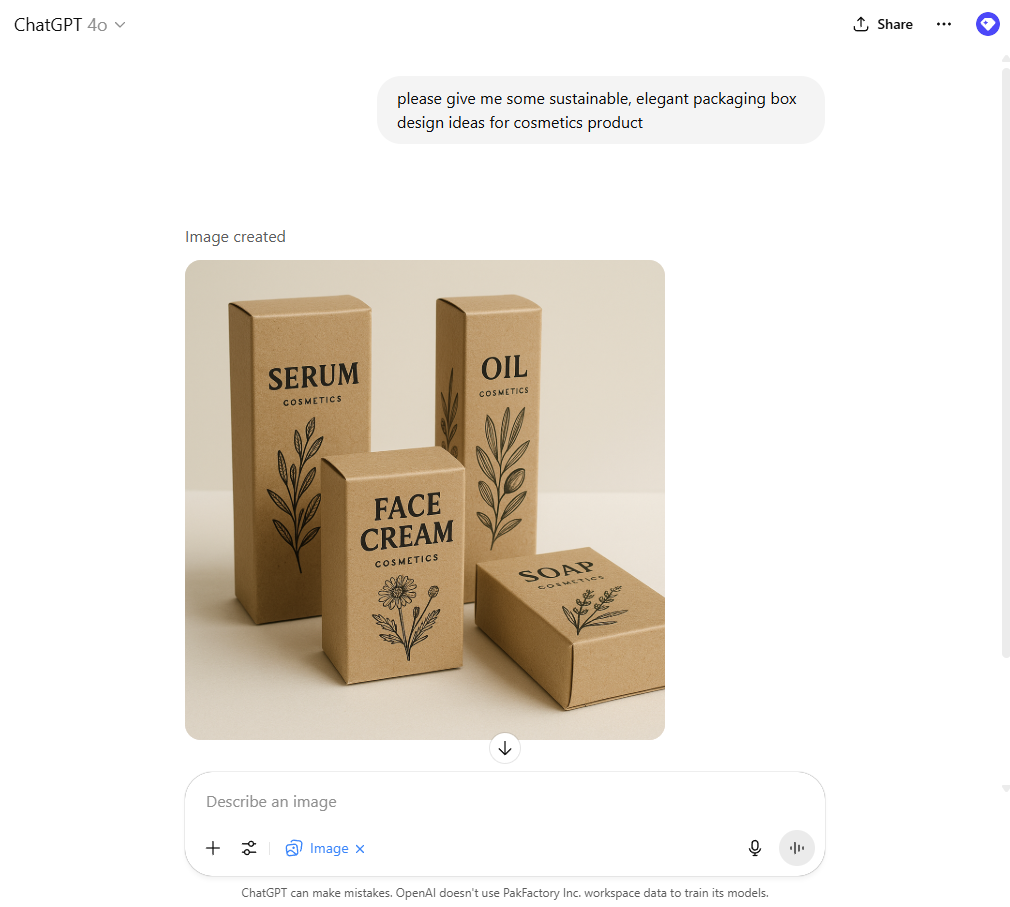
Features: If you’re already on a paid ChatGPT plan, you’ve likely experienced GPT-4o’s powerful image generation capabilities. Its chat-style interface makes it beginner-friendly—just type a detailed text prompt or upload a reference image, and the tool will generate visuals tailored to your request.
What makes GPT-4o stand out is its conversational, iterative design process. You can ask for changes, provide feedback, and refine the image through natural dialogue, just like collaborating with a real graphic designer. No advanced prompting skills required, making it especially accessible for users new to AI design.
Pricing: Included in ChatGPT Plus (US$20/month) or higher-tier plans

2. Fotor AI Image Generator
When to use: Finding inspiration, creating artwork
Input type: Text-to-image & image-to-image
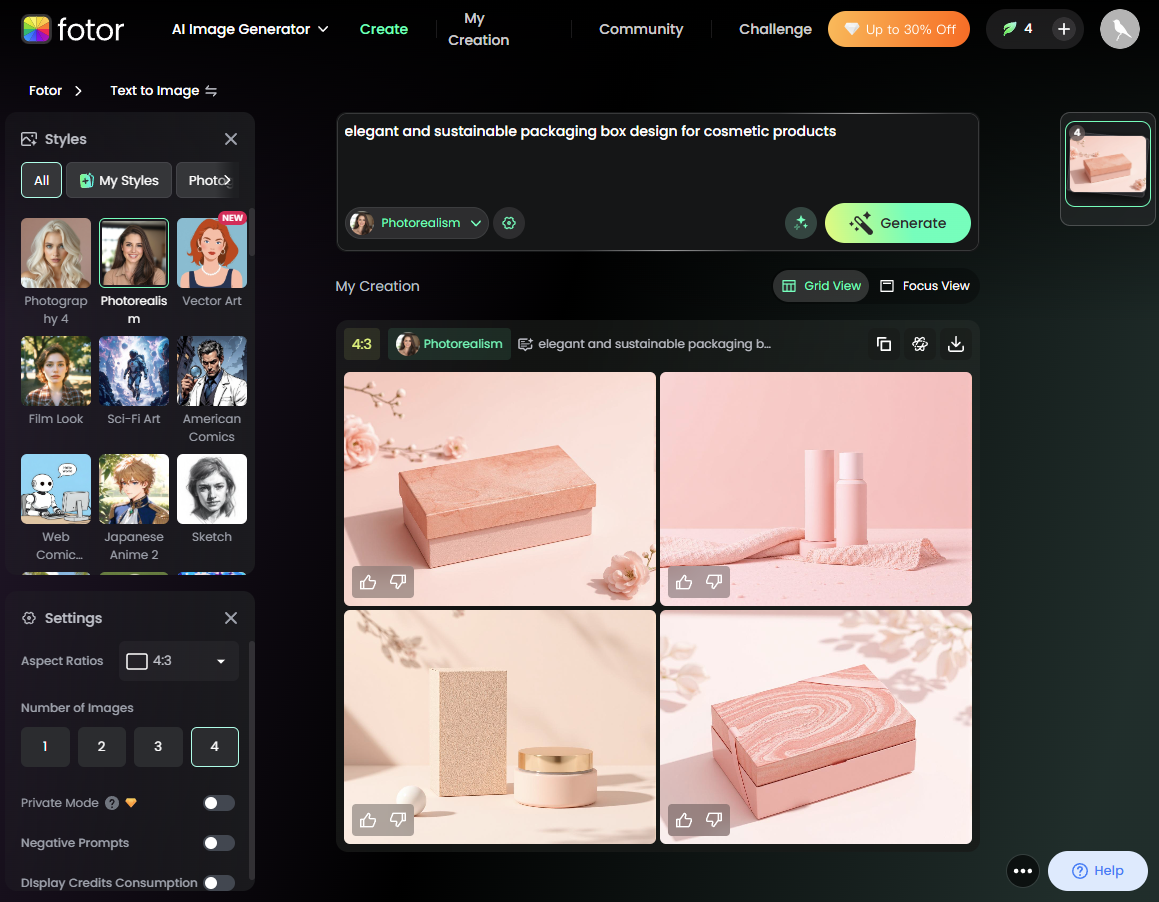
Features: Originally known as an online photo editing software, Fotor has expanded into AI image generation, offering a wide range of styles from realistic product designs to abstract illustrations. Its user-friendly interface makes it easy for beginners to get started.
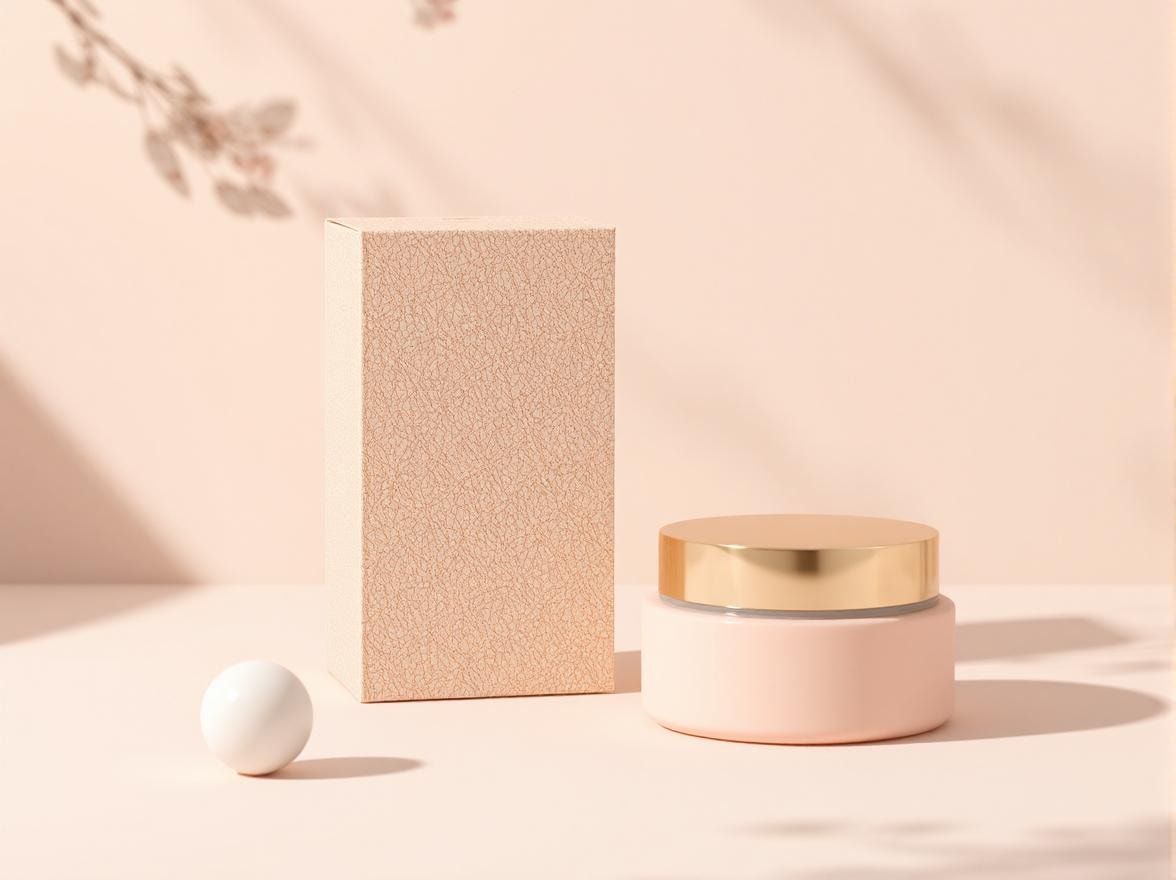
In addition to entering text or uploading images, users can choose from a selection of photography and art styles. The tool can generate up to four images at once, helping you explore multiple creative directions quickly.
Use photography styles for quick packaging design mock-ups or switch to illustration modes to create artwork that reflects your brand identity.
Pricing: Free trial with limited credits. Paid plans start at US$8.99/month.

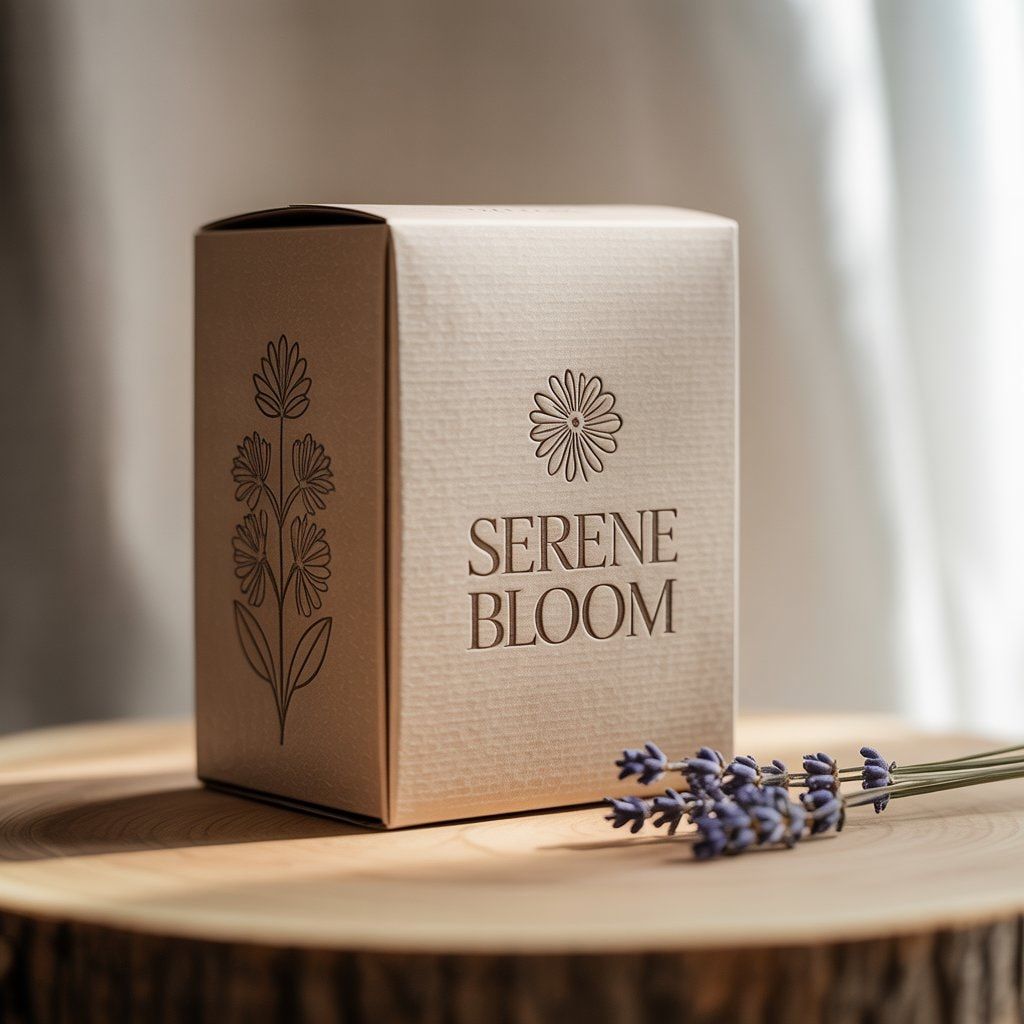
3. Ideogram
When to use: Finding inspiration, designing logos, creating artwork with your brand name
Input type: Text-to-image & image-to-image
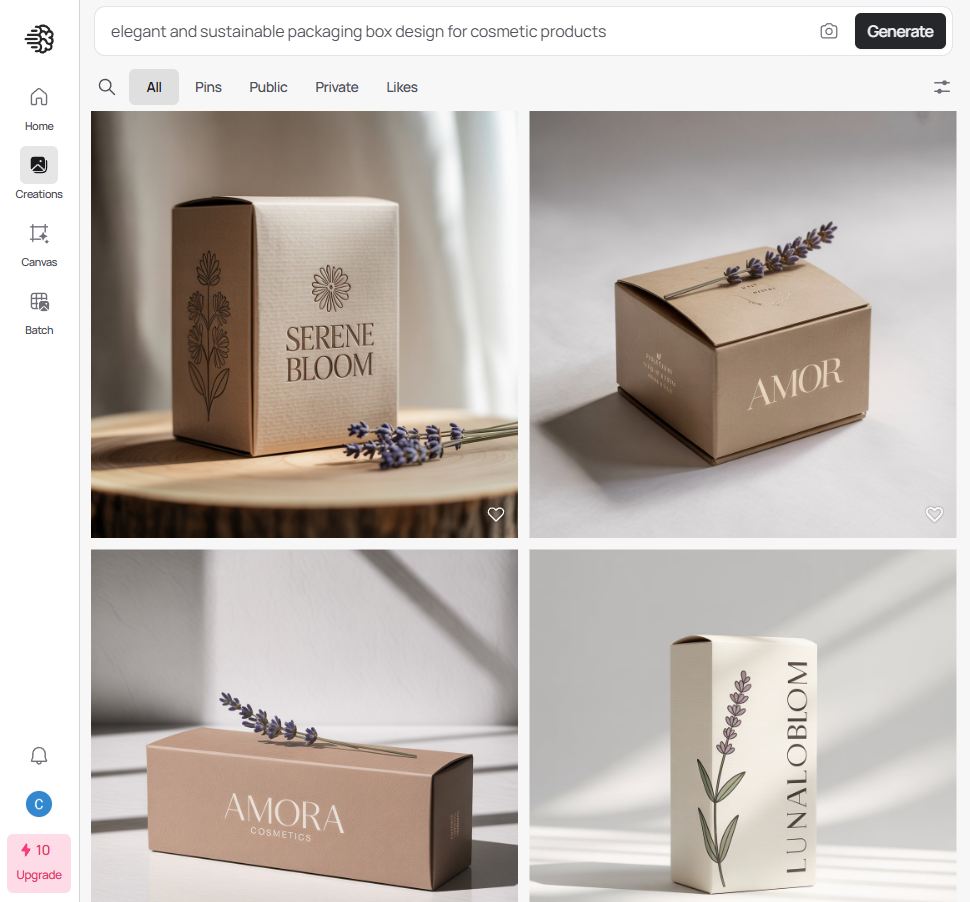
Features: Ideogram stands out for its ability to generate high-resolution images in a variety of styles, making it a useful tool for exploring packaging design ideas. Its AI background generator feature also helps visualize how your design might look in real-world settings.
What truly sets Ideogram apart is its accurate text rendering. Unlike many other AI tools that struggle with text, Ideogram can clearly display brand names and slogans within your designs. This makes it especially useful for creating logos or generating artwork with branded elements already in place.
Pricing: Free plan available with limited credits. Paid plans start at US$7/month.
4. Adobe Express
When to use: Finding inspiration, exploring packaging material options
Input type: Text-to-image & image-to-image
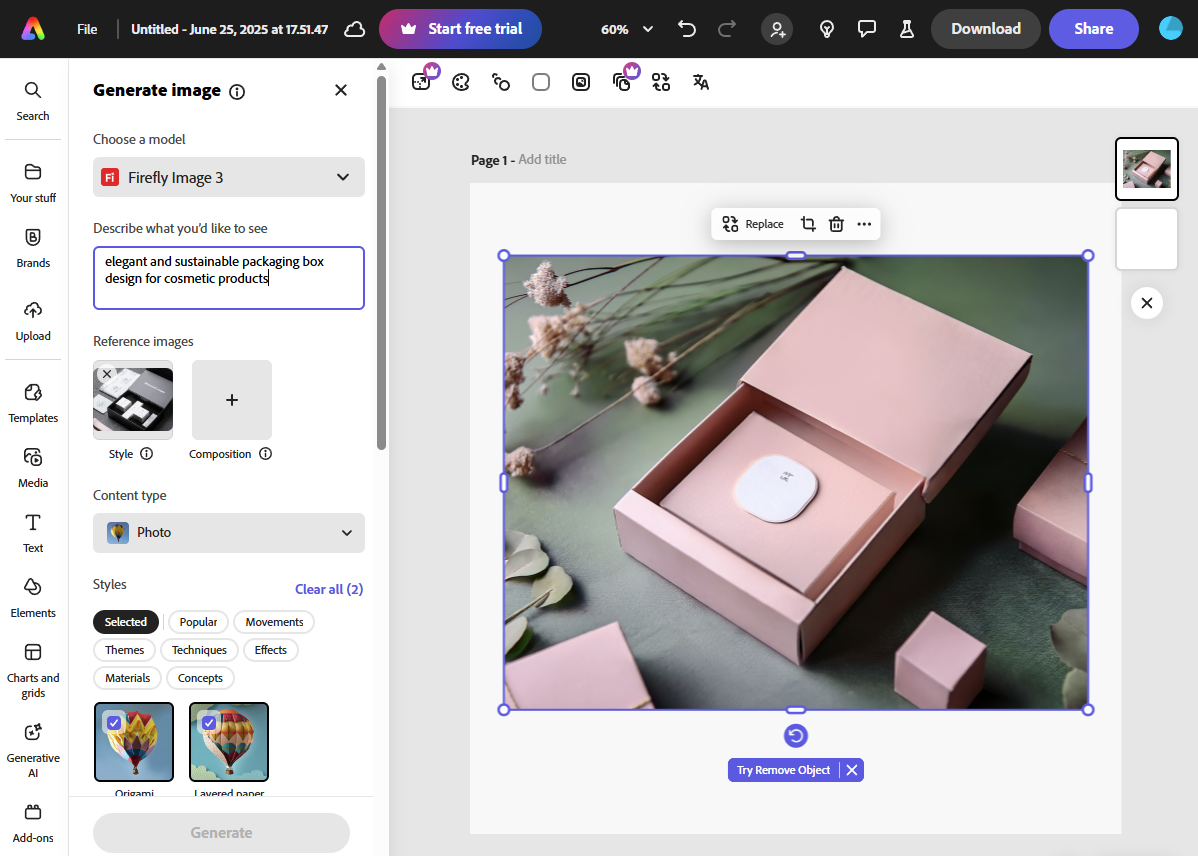
Features: Adobe Express is an all-in-one online content creation tool that includes generative AI features powered by Adobe Firefly. You can generate images using text prompts and upload reference images to guide the style, layout, and composition of your designs.
A standout feature, great for packaging design, is the ability to select different material types for objects in the image. Whether you’re considering paper, metal, or fabric, Adobe Express lets you visualize how each material might look on your packaging, making it easier to align your design with your brand identity.
Pricing: Free plan available with limited AI credits. Paid plans start at $9.99/month.
5. Packify.ai
When to use: Creating dielines with artworks and 3D mock-ups
Input type: Text-to-image
Features: Developed by Pacdora, Packify.ai is built specifically for packaging design. It’s an ideal tool for small businesses looking to quickly visualize packaging concepts without needing advanced design skills.
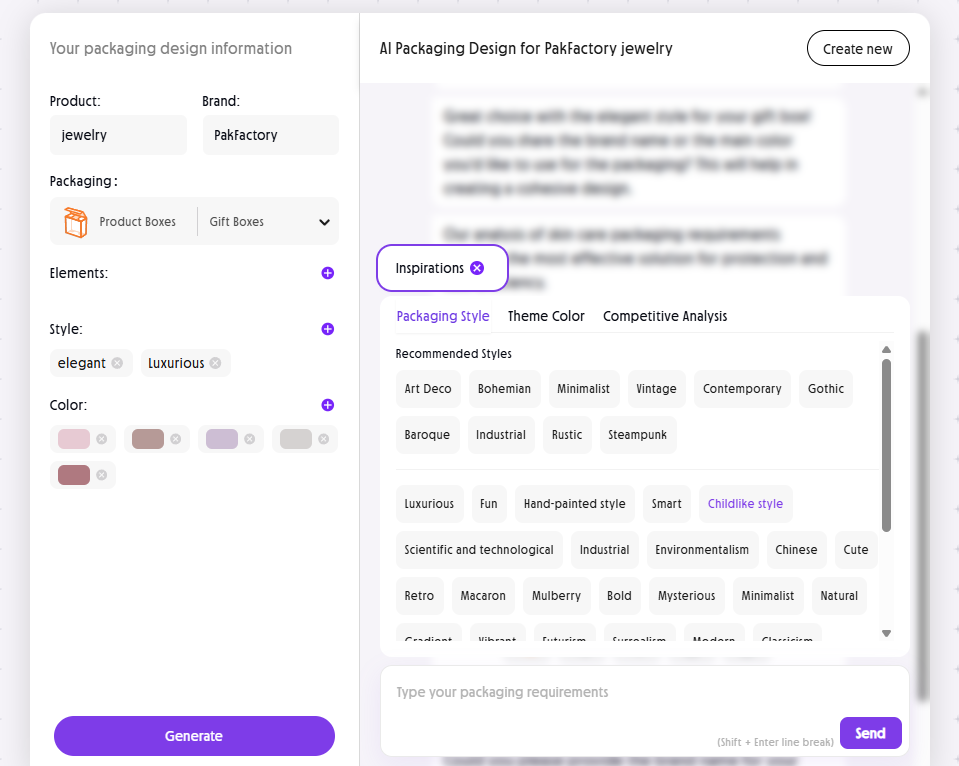
Users can either type in a text prompt or fill out a guided form that includes project details like brand name, product type, preferred packaging structure, style, and color scheme. The tool then generates a mock-up with your branding applied directly to the packaging.
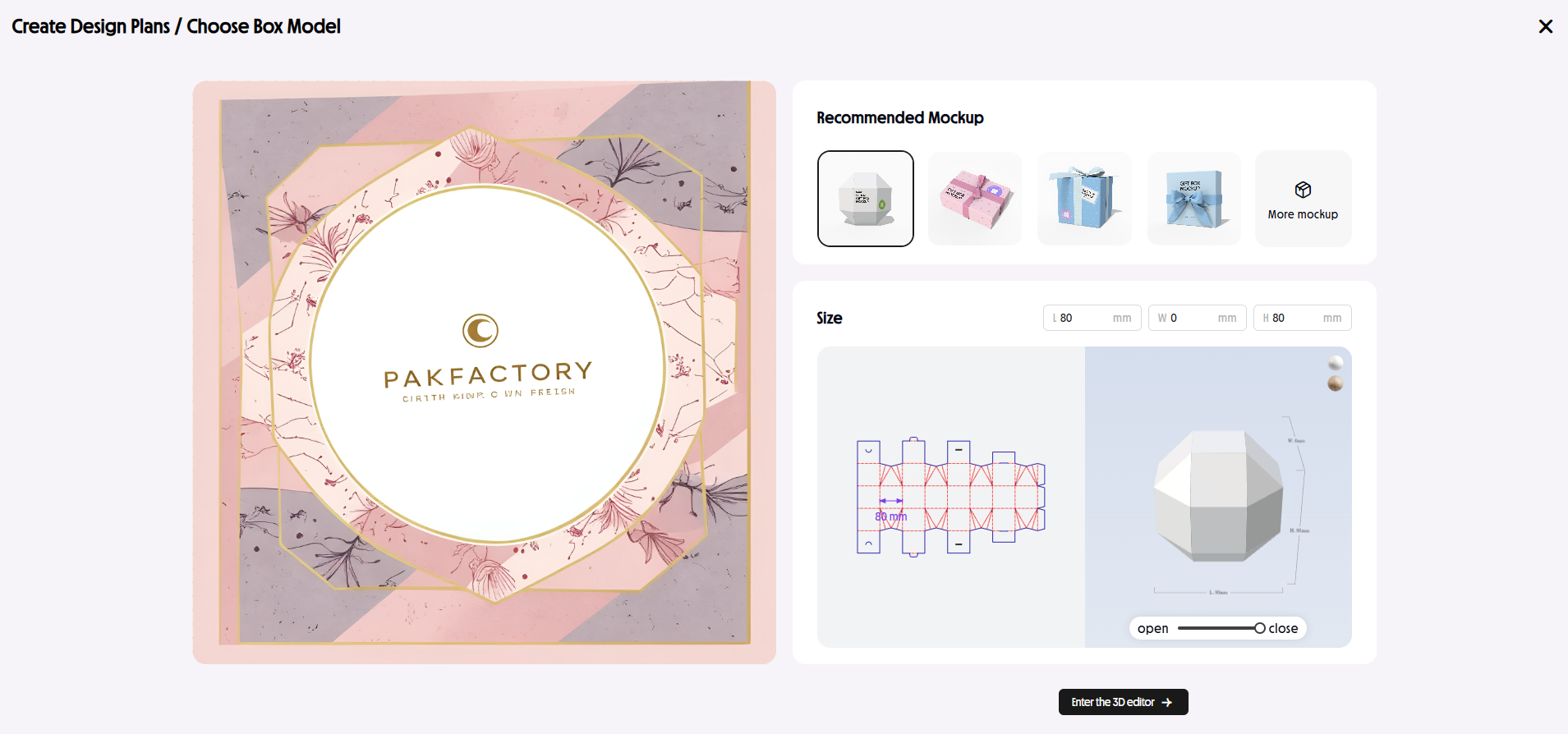
What makes Packify especially useful is its built-in dieline editor. Once the design is generated, you’re taken to an editor where the artwork is placed onto a dieline of your selected box style. From there, you can fine-tune details like logos, text, and graphics directly on the dieline layout.
While the visual quality may not match high-end AI tools, Packify offers a simple and efficient way to create production-ready dielines, making it a cost-effective option for standard packaging needs.
Pricing: Limited free designs available. Paid plans (with downloadable dielines) start at $9.90/month.
What to Keep in Mind When Using AI for Design
Avoid Copying Others’ Work
Generative AI often creates designs by referencing existing content online or mimicking popular art styles. As a result, it may sometimes produce artwork that’s too similar to other brands or artists’ work.
Using AI for inspiration and brainstorming is generally safe, but when it comes to final designs, it’s important to be alert. Always check to make sure your artwork isn’t too close to something that already exists. If it feels too similar, tweak the design to make it original.
This isn’t about being overly cautious—it’s about protecting your brand from potential legal issues in the future.
Double-Check Important Information
When using AI to create production-ready packaging files, remember that AI isn’t reliable for adding factual or legally required information. This includes nutrition facts, ingredient lists, warning labels, and safety instructions.
Every country has different packaging regulations. Any incorrect or missing information can lead to serious compliance issues. To stay safe, use AI for creative design only, and add factual information separately.
Always double-check that your packaging meets all legal requirements before moving into production. When in doubt, consult a legal expert or a packaging professional to make sure everything is accurate and compliant.
Always Validate AI Designs with Human Insights
AI can create impressive designs in seconds, but it can’t replace human judgment. When it comes to packaging, factors like brand alignment, user experience, and emotional connection still require a human touch.
At the end of the day, your packaging needs to resonate with real people—not algorithms. Always review AI-generated designs through the lens of your brand and audience. Ask yourself: Does this reflect our identity? Will this appeal to our customers?
Trust your instincts. Use AI as a creative partner, not the final decision-maker.
Bringing Your AI Packaging Design to Life
With AI tools evolving rapidly, creating unique packaging designs is now faster and more accessible than ever. But when it comes to launching a real product, AI alone isn’t enough—especially if you need a tailored solution that meets your brand’s specific requirements.
At PakFactory, we combine your AI-generated concepts with hands-on expertise to turn them into functional, production-ready packaging. Here’s how we help:
- Review and refine your AI-inspired designs with professional insight
- Ensure the packaging structure is practical and production-friendly
- Accurately apply your artwork to dielines with proper print alignment
- Make structural and design adjustments to avoid costly errors
- Perform thorough quality checks from concept to production
We make sure your vision doesn’t just look great on-screen, but arrives in your hands exactly the way you imagined, ready to impress your customers.
Ready to get started? Bring your AI packaging design to our experts for a consultation today!
Written by
Former journalist turned packaging researcher, focus on technical content & industry news.